Kids Multiplication Math Games
RV AppStudiosEducational
4.7315.00 Reviews
- Version
- Varies With Device
- Installs
- 10.00M
- Age Rating
- Everyone
Screenshots
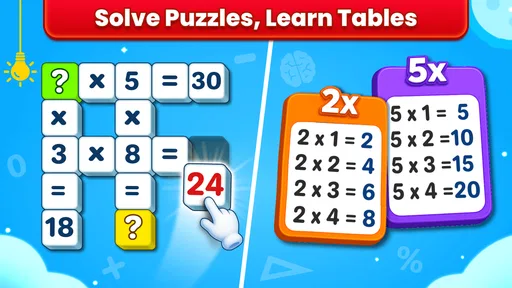
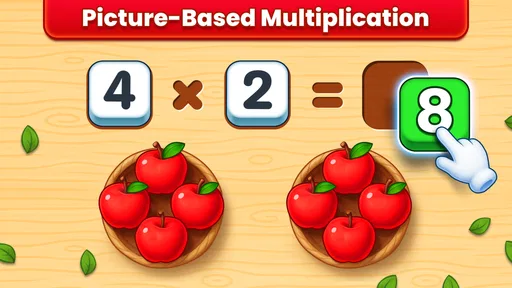
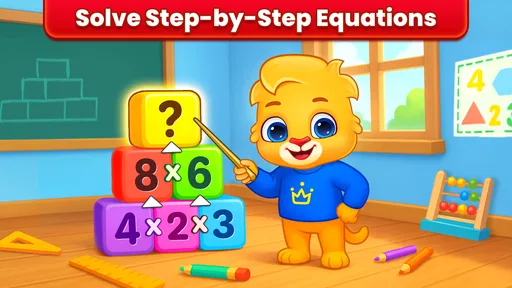
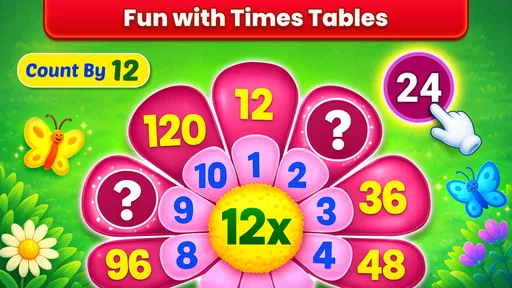
Our Review of Kids Multiplication Math Games
 Analysis by Appyee
When I tried Kids Multiplication Math Games, I quickly understood that its main value is not turning multiplication into a full classroom replacement. Its useful idea is much narrower and more practical: it gives preschoolers a playful place to become familiar with multiplication and practise it without the pressure of a worksheet. That focus makes it easier to decide whether it belongs in a child’s routine. If you want a gentle maths game for short practice sessions, it is worth considering. If you need a complete, structured maths course with detailed progress reports, it is a different kind of product.
This is a free educational game from RV AppStudios, intended for Everyone and available on devices using Android 6.0 or later. The app has reached over ten million installs and holds a 4.7 average from around twenty-five thousand ratings, which suggests that its simple approach has connected with a large family audience. I would still judge it by the child using it, because a popular early-learning game can be a good fit for one learner and too basic for another.
Why the multiplication focus matters
The verified capability I kept returning to is the app’s concentration on multiplication practice for young children. Many early maths apps try to cover counting, shapes, colours, addition, subtraction and puzzles all at once. That variety can be useful, but it can also make practice feel scattered. Here, the multiplication theme gives parents a clearer purpose: open the game when a child needs repeated exposure to multiplication ideas, rather than searching through a large collection of unrelated activities.
For a preschooler, multiplication is not only about recalling answers. It is also about noticing equal groups, repeated quantities and the idea that the same number can appear again and again. A game built around this topic can help make those patterns less abstract. In my experience, the strongest benefit comes when the child talks through what is happening instead of tapping quickly and moving on. I would sit nearby at first and ask, “How many groups do you see?” or “What happens if we add one more group?” That turns screen time into a small conversation about reasoning.
The app’s best role is therefore reinforcement. It can make a child more willing to revisit a topic that might otherwise feel formal or intimidating. The playful setting lowers the emotional cost of getting an answer wrong, while repetition gives the child more chances to recognise a pattern. The real strength is focused practice, not comprehensive instruction.
That distinction is important for expectations. A young learner who has never encountered multiplication may need an adult to explain the idea with toys, blocks or snacks first. The game can then provide a digital follow-up. A child who already understands multiplication may find the activities comfortable but eventually too easy, especially if they are ready for written problems or more advanced reasoning. The same narrow focus that helps beginners can limit its usefulness for older or faster learners.
What using it feels like
In practical use, I would treat Kids Multiplication Math Games as a short-session activity rather than something to leave running for a long period. A child can open it when there is a spare moment, work through some multiplication practice, and then stop before the experience becomes tiring. That format suits preschool attention spans better than expecting a child to complete a long lesson in one sitting.
The simple presentation is an advantage for children who are still learning how to use a touchscreen. A crowded interface can make a child forget the maths task while they look for the next button. A focused game is easier to introduce because the adult can explain one purpose: we are here to practise multiplication. I found that this also makes it easier to notice whether the child is thinking or merely guessing.
One useful routine is to let the child answer independently first, then ask for an explanation only when an answer seems uncertain. If the child gets a problem right by guessing, a quick follow-up question can reveal that. If the child gets it wrong, I would avoid immediately giving the answer. Instead, I would use small objects nearby to recreate the groups and let the child connect the physical example with the screen. This is a more effective workflow than treating the game as an automatic teacher.
Another practical tip is to use the app after a real-world activity. For example, I might arrange small toys into equal groups, talk about how many items there are altogether, and then open the game later. The digital practice then feels familiar rather than disconnected. This approach also helps reveal whether the child understands multiplication as grouping or is only memorising a response.
Parents should also watch the child’s pace. Fast tapping is not the same as learning. If the child rushes through every question, I would pause the session and ask them to explain one example aloud. If they become frustrated, I would stop rather than turn the game into a test. The app works best when it supports confidence and repetition, not when it becomes another source of pressure.
A realistic everyday use
Imagine a child waiting while a parent prepares dinner. There may be enough time for a brief maths activity, but not enough time to set up a workbook or deliver a full lesson. This is where the game makes sense. The parent can offer a short multiplication session, remain close enough to encourage thinking, and finish by asking the child to show a similar grouping with objects at the table.
That scenario highlights an important trade-off. The app is convenient because it is ready when the child has a few spare minutes, but convenience can tempt adults to hand over the device without any follow-up. If the goal is genuine understanding, I would use the game as the middle part of the activity: a quick real-world example before it, and a short conversation after it. Even a simple question such as “Can you make two groups with the same number of blocks?” gives the screen activity more meaning.
It can also fit a calm after-school routine. A child who has already spent the day in structured lessons may respond better to a light game than to another worksheet. I would keep the session optional and brief, especially if the child is tired. The app is more likely to build a positive association with multiplication when it ends before the child feels trapped by it.
For travel or waiting rooms, the game may be useful because its educational purpose is easy to explain. Still, I would not rely on it as the only activity. Young children benefit from movement, conversation and physical play, and multiplication is easier to understand when it appears outside the screen too. The best use is a small, repeatable part of a broader routine.
Where it compares well with usual alternatives
Compared with a paper worksheet, the game is more inviting for a child who resists writing. It removes the fine-motor demand of forming numbers and gives the learner a more playful entry point. That can be especially helpful when the problem is not mathematical ability but reluctance to begin. On the other hand, worksheets are better for practising written layout, recording work and showing how an answer was reached.
Compared with a parent-led lesson, the app is easier to start and may keep the child engaged for longer. A parent does not need to invent every example or prepare materials before a short practice session. The weakness is that a parent can adapt instantly to confusion, boredom or an unexpected question, while a game cannot replace that personal explanation. I see the app as a useful assistant, not a substitute for an attentive adult.
Compared with a broad early-learning app, this one has a clearer purpose. A general app may be better for a child who needs variety or is still exploring basic number concepts. Kids Multiplication Math Games is more suitable when multiplication itself is the target. That focus reduces distraction, but it also means the app is not the right single choice for families looking for reading, shapes, counting and several branches of maths in one place.
Compared with flashcards, the game can feel less repetitive and more approachable. Flashcards, however, are excellent for quick recall and can be used anywhere without a device. I would combine the two carefully: use the game for motivation and pattern recognition, then use a few spoken or physical examples to check whether the child can apply the idea away from the screen.
The trade-offs parents should understand
The biggest limitation is the same feature that gives the app its identity: it concentrates on multiplication. That is helpful when a child needs this particular practice, but it does not create a complete learning path by itself. A child who needs support with counting, number comparison or basic addition may require another activity alongside it. I would not install it expecting one app to cover every early maths need.
There is also a risk that game success can hide weak understanding. A child may remember familiar answer patterns without understanding equal groups or repeated addition. This is not a flaw unique to this app; it is a common issue with digital practice. The practical solution is to ask the child to explain an answer, draw groups, or build them with everyday objects. If the child cannot do that, more hands-on teaching is needed.
Another trade-off is the difference between engagement and depth. A playful activity may persuade a child to practise, but it may not provide the detailed written reasoning that an older learner needs. If your child is preparing for formal school exercises, I would add paper work or teacher-guided examples. The game can make practice less intimidating, while other methods develop written accuracy and independent problem solving.
Because the game is free, it is easy to try without making a financial commitment. That makes it approachable for families who want to test a multiplication activity before choosing a paid learning product. Free access does not automatically mean it will suit every child, though. The more important question is whether the child stays engaged long enough to think carefully and whether the adult can connect the digital questions to real maths.
The Everyone content rating makes it appropriate to consider for a broad family audience, but age suitability in practice still depends on the child’s reading ability, attention and familiarity with touch controls. A preschooler may need help getting started, understanding instructions or recovering from an incorrect answer. I would introduce it together rather than assuming the child will learn how to use it independently from the first session.
Who benefits most from this focused practice
I think the best match is a preschooler who enjoys game-like learning, needs repeated exposure to multiplication, and responds better to interaction than to a workbook. It is also a good fit for parents who want a ready-to-use activity for short practice windows. The app’s focused subject makes it easier to create a simple routine without turning every session into a formal lesson.
It may also help a child who knows some multiplication ideas but needs confidence. Repeated, low-pressure practice can make familiar patterns feel less intimidating. I would use it before a more structured lesson when the child needs warming up, or after a lesson when a little extra practice would help. The key is to keep the activity supportive rather than presenting it as a measure of intelligence.
I would be more cautious if the child is already working comfortably with written multiplication or needs challenging multi-step problems. In that situation, the game may not offer enough depth to remain useful for long. A teacher-led resource, workbook or more advanced maths platform would probably be a better main tool, with this app reserved for lighter revision if the child still enjoys it.
It is also not the ideal choice for a family that wants one educational app covering several subjects. The narrow multiplication focus is a benefit only when it matches the immediate goal. If your child is still developing basic counting or number recognition, start with activities that build those foundations and introduce multiplication when equal groups make sense to them.
For children who become overstimulated by screens or who tap without listening, I would use it sparingly. A physical game with blocks, buttons or fruit may teach the same grouping idea more effectively. The app should fit the learner, not the other way around. Its presence on a device is convenient, but convenience should never outweigh the child’s actual response.
My recommendation after using it
Kids Multiplication Math Games succeeds when it is treated as a focused practice companion. It gives young learners a more approachable way to revisit multiplication and gives parents an easy activity to add to an everyday routine. I especially like the possibility of pairing each digital session with a real object-based example, because that prevents the child from confusing correct tapping with genuine understanding.
RV AppStudios has kept the concept clear enough for families to understand immediately: this is a free educational game for young children who need multiplication practice. It was released on April 1, 2019, supports Android 6.0 and later, and its large install base shows that it has remained visible among family learning apps. Those details make it easy to try, but the deciding factor should still be the child’s learning stage and response to the activities.
My final view is positive, with a clear condition. I would recommend it for short, supervised multiplication practice, not as a complete maths curriculum. Use it when a child needs encouragement, repetition or a quick activity during an ordinary day. Skip it as a primary choice if you need advanced challenges, detailed progress analysis, broad subject coverage or a replacement for hands-on teaching. In the right role, it can make multiplication feel less like a demand and more like something a child is willing to explore.
Verdict
Strengths of Kids Multiplication Math Games
- Fun mini-games make multiplication practice feel less like homework.
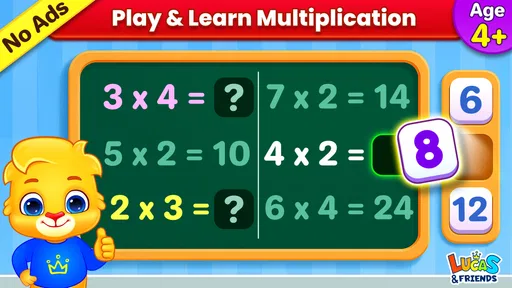
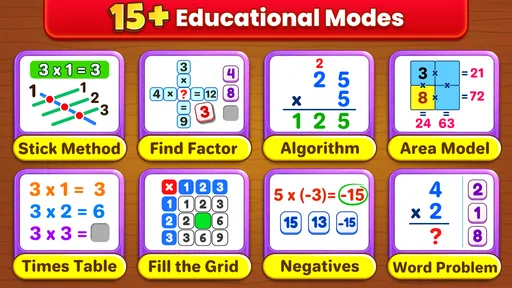
- Covers multiplication tables progressively for different learning levels.
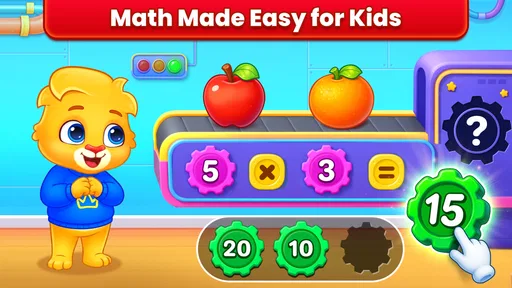
- Bright visuals and simple controls are suitable for younger children.
- Short activities work well for quick daily practice sessions.
- Immediate feedback helps children recognize and correct mistakes.
Limitations of Kids Multiplication Math Games
- Some children may find the repeated exercises boring over time.
- Advanced learners may outgrow the available difficulty levels quickly.
- Game-focused rewards can distract from understanding multiplication concepts.
- Progress tracking may be too limited for detailed parent monitoring.
- Ads or in-app purchases may affect the experience, depending on the version.
Other Releases by RV AppStudios
View All
Coloring Games: Color & Paint
Educational4.4

Drawing Games: Draw & Color
Educational4.3

Baby Games: Piano & Baby Phone
Educational4.4

Puzzle Kids: Jigsaw Puzzles
Educational4.4
Similar Picks in This Category
View All
Little Panda Policeman
BabyBus4.0

Monster Trucks Game for Kids 2
Raz Games4.1

Little Panda's Chinese Recipes
BabyBus4.4

Little Panda's Restaurant
BabyBus4.4

Little Panda's Ice Cream Games
BabyBus4.3

Baby Panda Care
BabyBus3.8
Frequently Asked Questions
What is Kids Multiplication Math Games, and who is it designed for?
Kids Multiplication Math Games is an educational app designed to help children learn and practice multiplication in a fun, interactive way. It is generally aimed at elementary-school students who are beginning to memorize multiplication tables or need extra practice. The activities use short challenges, visual elements, and game-style rewards to make repetition feel less like traditional homework and more like play.
Does the app teach multiplication or only test existing knowledge?
The app can be useful for both learning and reviewing multiplication, although the exact balance depends on the available game modes. Children can usually practice individual tables, answer timed questions, and repeat difficult problems until they become more familiar. Parents should still introduce multiplication concepts separately, because an app is most effective as a supplement to explanation, examples, and regular practice rather than as the child’s only learning resource.
Is Kids Multiplication Math Games suitable for different ages and skill levels?
The app is most appropriate for children in the early elementary grades, but suitability depends on the child’s current mathematics level. Beginners may benefit from starting with smaller multiplication tables and untimed activities, while more confident learners can use mixed questions or faster challenges. Parents should check the difficulty settings and observe whether the exercises are encouraging without becoming either too easy or unnecessarily frustrating.
Does the app require an internet connection, and are there advertisements or purchases?
Some multiplication games can be played offline after installation, but features such as advertisements, updates, analytics, or online services may require an internet connection. Availability of ads and in-app purchases can also vary between the Android and iOS versions. Before allowing a child to use the app independently, adults should review the store listing, privacy information, and device purchase restrictions to avoid unexpected interruptions or charges.
Is Kids Multiplication Math Games safe and useful for children?
The app can be a safe and practical learning tool when used with normal parental supervision and appropriate device settings. Adults should review whether the app includes external links, advertising, data collection, or social features, and should enable parental controls where available. Its main benefit is providing convenient repetition and motivation, but children will achieve better results when app practice is combined with teacher guidance, written exercises, and real-world math activities.
Play our best games!


